Can You Run a Model Bigger Than Your RAM? SSD Expert Streaming on a Mac
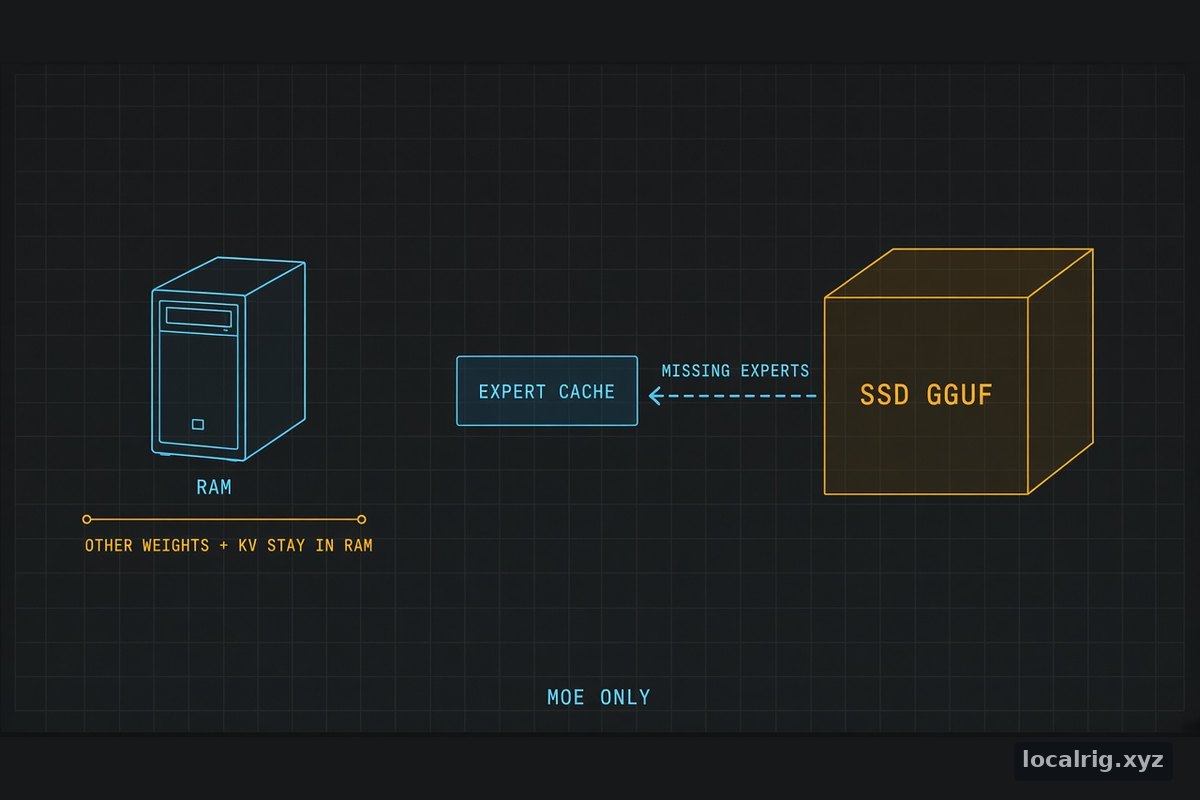
Direct answer: Some MoE models can run larger than Mac RAM by streaming experts from SSD. A bounded cache stays in memory. Other weights and KV still need RAM. DwarfStar measured GLM-5.3-Flash Q4_K at 11.9 and 14.9 tok/s on a 128 GB M5 Max. MLX-Serve claims about 35 tok/s on a 128 GB Mac, a vendor figure LocalRig has not measured.
That answer is the constraint. Streaming is a capacity trade, not a way to pretend the whole weight file is resident. The model-specific fit table for GLM-5.3-Flash, including the official GGUF sizes, stays on Can I run GLM-5.3-Flash locally?. This page is the mechanism, the Mac rows, and the labels on each number.
What does SSD expert streaming do?
It keeps a bounded cache of routed experts in memory and reads the experts that miss that cache from the GGUF on a local SSD. DwarfStar’s streaming note (measurements dated 2026-09-06; the documenting commit on that file is 2026-09-06) says to use resident inference when the model and runtime fit, because resident is faster. The flag is --ssd-streaming.
The same note says the startup report shows the effective cache, resident layers where applicable, and memory requirements. Prefer the automatic budget for a first run. A requested byte budget such as --ssd-streaming-cache-experts 32GB is a target, not a guaranteed allocation. DwarfStar reserves routed-prefill headroom and fits the cache to the remaining model, graph, context, and backend budget, so the effective cache can be smaller than the number you typed. A plain number such as --ssd-streaming-cache-experts 4000 requests dynamic expert slots, not gigabytes, and is still subject to memory limits.
Metal, in that note, spends the default GLM cache on selected experts across all layers. --ssd-streaming-full-layers N reserves full routed prefix layers instead. Metal also keeps non-routed weights resident when it can, because every token needs them and paging them back in delays generation after a prompt. More cache helps only while the rest of the working set still fits.
DwarfStar is not a general GGUF runner. The README on main, fetched 2026-10-21, says you need the GGUF files the project produces. A random llama.cpp quant is the wrong file for ./ds4.
The documented shape, which LocalRig has not executed:
./ds4 -m ds4flash.gguf --ssd-streaming

# Their example: GLM 5.3 Flash Q4 on a 128 GB Mac.
./download_model.sh glm53-q4
./ds4 --ssd-streaming --ctx 4096
The --ctx 4096 line is an example in the doc. The measurement table below does not say the bench used that context flag. Do not paste the example context onto the tok/s row.
What memory does streaming still require?
Everything that is not a routed expert the cache chose to page. The streaming note says streaming does not remove the memory needed for other weights, activations, scratch, and the context. Non-routed weights and KV state are additional to the expert-cache budget. Leave memory for the OS and other applications. More context and more server sessions consume more memory. Metal GLM budgeting includes planned and already resident sessions, and a request can still be refused when its mandatory allocations cannot fit. The note says disabling the memory guard is not a remedy for insufficient RAM.
An oversized expert cache can displace the non-routed weights and slow decoding. That is the opposite of “give the cache every spare byte.”
Two disk mechanisms in the same README are not this expert cache. Qwen3.8’s smaller Q2 release is listed at 41.73 GiB of main and MTP weights, plus 95.37 GiB of original BF16 n-grams read from disk rather than loaded into RAM, in one 137.10 GiB download. The README calls that the starting option for 64 GB Macs and says to keep the file on a fast SSD. DeepSeek V4.1’s Engram tables “remain on disk in every mode.” Those are project-file facts. They are not the GLM Q4_K measurement.
How do the published speeds compare?
Do not average these rows. Two different “about 35” figures are not the same test. Generation in the DwarfStar table includes the first-token wait. Cache reuse depends on the prompt. The note calls the rows workload references, not a speed guarantee for every model larger than RAM.
| Source | Date | What kind of number | Hardware | Model and file | Runtime and settings | What was reported |
|---|---|---|---|---|---|---|
| DwarfStar SSD streaming | 2026-09-06 | Project measurement. Three-run median. | 128 GB M5 Max | GLM 5.3 Flash Q4_K, 177.77 GiB | ds4, automatic cache, no speculative decoding. 2K prompt, 1K append, 128 tokens at each frontier. | Initial prefill 121 t/s. Continued prefill 104 t/s. Generation after each frontier 11.9 and 14.9 t/s. |
| Same note | 2026-09-06 | Project measurement. Single run. | 128 GB M5 Max | DeepSeek Flash Vision Exp MXFP4, 145.26 GiB | Automatic cache, no speculative decoding. 8K prompt, 4K append, 128 tokens. Latest run uses an 86.2 GiB expert cache. Not comparable to that note’s earlier 64-token measurement. | Prefill 300 then 263 t/s. Generation after each frontier 11.9 and 19.3 t/s. |
| Same note | 2026-09-06 | Project measurement. Three-run medians. Short-append case. | 128 GB M5 Max (same section) | Full GLM 5.3 IQ2_XXS, 196.58 GiB | 8K context, 61.35 GiB effective expert cache, 64 generated tokens. | A 16-token append fell from 30.8 s to 2.9 s. Generation afterward rose from 4.09 to 5.11 t/s. Compared logits and text were identical. Not a gain for every prefill or every generation. |
| MLX-Serve v26.10.3-pre-release.1 | Published 2026-10-20 | Vendor / project claim. Pre-release. Chip, quant, and prompt length are not in the sentence. | ”a 128 GB Mac” | GLM-5.3-Flash | Experts read from the SSD as needed. Claims the full million-token context, and that a short question starts in about 2.5 seconds instead of 7. | ”about 35 tokens a second” |
| MLX-Serve v26.10.2 | Published 2026-10-12 | Vendor claim. No tok/s in the sentence. | 128 GB Mac | DeepSeek-V4.1-Flash | Streaming experts from the SSD on @davidtai’s mlx-stream. | The release says it runs. It does not give tok/s. |
| MLX-Serve v26.10.3-pre-release.1 | 2026-10-20 | Vendor claim. No tok/s. | 128 GB Mac | MiMo-V2.6-Flash | Same SSD expert read as the GLM bullet. | Runs, in that sentence. No speed. |
| Same pre-release | 2026-10-20 | Vendor claim. No tok/s. The 744B figure is the release note’s. | 256 GB Mac | GLM-5.3, called 744B | ”runs the same way” (SSD expert reads). Credit @davidtai. | Runs, in that sentence. No speed. |
| llamaperf d9a97350 | Oct 11, 2026 | Community-cited single report. Quantization is not stated. Not SSD streaming. The linked Reddit thread returned HTTP 403 on 2026-10-21, so this row is the llamaperf summary only. | M5 Ultra Mac Studio, 256 GB | GLM-5.3-Flash, 320B, 18B active | llama.cpp, version not stated. 262,000 context. About 15 GiB spare. MTP off versus the built-in MTP head with 3 draft tokens. | 39.7 tok/s without MTP. 61.0 tok/s with MTP. Prompt reading about 765 tok/s at 4K and about 630 tok/s at 59K. |
The 11.9 and 14.9 figures are the two generation rates after the two prefill frontiers, not a variance band and not a single median with an error bar. The same reading applies to DeepSeek’s 11.9 and 19.3.
MLX-Serve’s stable v26.10.2 notes, published 2026-10-12, already list GLM-5.3-Flash among models that “run locally.” The “about 35 tokens a second” sentence arrives in the pre-release tag v26.10.3-pre-release.1 on 2026-10-20. A separate sentence in that pre-release says DeepSeek-V4.1-Flash writes up to about 150 tokens a second on an M5 Ultra. That sentence does not say the 150 is the 128 GB SSD-streaming case. Do not attach it to the 128 GB row.
The other “35” is an estimate, not that vendor claim
LLMCheck’s GLM-5.3-Flash Mac article, updated 2026-10-17, prints index estimates from its bandwidth model. For MoE models above 40B total parameters it says the model scales active-parameter bytes by a factor of 0.42, and it says to treat that as a rough guide. These are not measurements, and the bandwidth column on that page was not re-checked against Apple for this article.
| LLMCheck row | Quant it costs | Estimated tok/s |
|---|---|---|
| M5 Max, 128 GB | UD-IQ3_XXS (120 GB) | about 27 |
| M2 Ultra, 192 GB | UD-IQ4_XS (157 GB) | about 24 |
| M3 Ultra, 256/512 GB | UD-Q4_K_XL (200 GB) | about 24 |
| M5 Ultra, 256/512 GB | UD-Q4_K_XL (200 GB) | about 35 |
That M5 Ultra ~35 is a resident 4-bit estimate. MLX-Serve’s about 35 is a 128 GB SSD-streaming vendor sentence with no quant. Putting them in one cell is how a buyer buys the wrong machine.
LLMCheck also says a community oMLX run of a 2.5-bit build, with a third of its experts streamed from SSD, measured about 13 tok/s at a 1K context on a 128 GB M5 Max, and links https://omlx.ai/benchmarks/performance/oom0n3hp. That URL returned HTTP 403 on 2026-10-21. LocalRig did not re-read the primary row. The 13 tok/s figure stays a single-source summary with the settings LLMCheck printed, not a confirmed cite packet.
Which runtimes actually say they stream experts?
Three places name the mechanism. One popular runtime names a different cache.
DwarfStar (ds4). The streaming note says Metal supports streaming for DeepSeek and GLM, CUDA has streaming paths too, and ROCm supports GLM 5.2 and 5.3 streaming. It says not to infer support for every model and tensor layout from the flag. The README’s hardware line, fetched 2026-10-21, puts Metal first on Macs with 64 GB for Qwen Flash Next and 96 GB or more for DeepSeek and GLM, and says smaller machines can use SSD streaming. It also says SSD streaming is needed to run full GLM 5.x (not Flash) on 128 GB systems. For DeepSeek V4.1, the README says Q2 runs with SSD streaming on one 128 GB Mac or Spark, or resident across two machines with RDMA, and Q4 needs SSD streaming or a 512 GB Mac. Those are fit statements. They are not tok/s.
MLX-Serve. The pre-release bullet on 2026-10-20 is the GLM-5.3-Flash / MiMo-V2.6-Flash / 256 GB GLM-5.3 claim. The 2026-10-12 stable notes are the DeepSeek-V4.1-Flash 128 GB claim, credited to mlx-stream. Neither note is mlx-lm. The GLM selector still has no mlx-lm quant-size table.
llama.cpp v0.7.0 (published 2026-10-15) adds --moe-cache-mib: a GPU LRU for MoE experts kept in host memory, with a release-note claim of up to about 2.2× decode when experts are offloaded. That is a host-RAM cache. It is not the DwarfStar SSD path, and the 2.2× figure is not a Mac SSD measurement. MTP for GLM5-Next is a different v0.7.0 line (pull #29928, merged 2026-10-07). The llamaperf 61 tok/s row is MTP on a 256 GB resident report, version unstated. Do not move that MTP number onto a streaming run.
Leave --ssd-streaming-cold and the preload flag for controlled measurements. The streaming note says to leave expert preloading enabled for normal use. A model that starts can still be too slow for interactive work. The note says to use a short generation before a long task.
Which Macs does this make viable?
A 128 GB Mac is the machine the measurements and the vendor claims actually name. It is viable for specific MoE files that do not fit in that RAM, at the speeds in the table, not for every large download.
The DwarfStar files in the table are larger than 128 GB of RAM: 177.77 GiB, 145.26 GiB, and 196.58 GiB. That is why streaming is the path. The measured generation rates on the 128 GB M5 Max are 11.9 and 14.9 tok/s for GLM 5.3 Flash Q4_K, and 4.09 rising to 5.11 tok/s for the full GLM 5.3 IQ2_XXS short-append case. The project itself calls the PRO Q2 example on a 128 GB Mac “usable for inspection, but slow,” and it does not attach a tok/s figure to that sentence. The Flash Q2 example is “on a smaller Mac,” with no memory size and no tok/s. Do not promote “smaller” into 32 GB or 48 GB.
A 256 GB M5 Ultra is a different decision. The llamaperf report says the 262K context fit with about 15 GiB spare, which is a resident llama.cpp run, quantization unstated. LLMCheck’s estimate table costs true 4-bit (UD-Q4_K_XL, 200 GB in their table) on that tier. Streaming is what MLX-Serve claims for the larger 744B GLM-5.3 on a 256 GB Mac, again with no tok/s. If the Flash quant you want already fits, DwarfStar says resident is the faster choice.
Buying the Mac is a separate page. Memory tier first: M5 Max and M5 Ultra configuration guide and Best Mac for local LLM inference. How much unified memory is the capacity ladder. Check Mac Studio prices on Amazon before treating any older price on those guides as current. This page does not add a price.
Prompt processing is still its own bottleneck once the weights are moving. See why prompt processing is slow on a Mac. Streaming does not repeal that.
DeepSeek-V4.1-Flash in the MLX-Serve and DwarfStar notes is not the 0731 selector. The 0731 page is Can I run DeepSeek-V4-Flash-0731 locally?. Do not copy a V4.1 streaming sentence onto the 0731 GGUF.
Who this is NOT for
- Anyone who wants resident speed. DwarfStar says resident inference is faster when the model fits. Streaming trades speed for capacity. A file that fits in RAM should stay resident.
- Anyone collapsing 11.9 / 14.9 and about 35 into one GLM number. Different runtime, different file evidence, different label. The 35 tok/s line is a vendor pre-release claim without a chip or a quant. The 11.9 and 14.9 line is a dated DwarfStar measurement on one 128 GB M5 Max.
- Anyone treating LLMCheck’s ~35 M5 Ultra estimate as that vendor claim, or as a measurement. It is a bandwidth-model estimate for a 200 GB 4-bit cost on a 256 GB-class machine.
- Anyone who needs an SSD wear budget. No checked source publishes terabytes written, a wear rate, or SSD GB/s. The published cost is tok/s and cache behavior.
- Anyone with a 24 GB card, or a dense model. These notes are routed-expert streaming for the models they name. A used RTX 3090 is the wrong machine for this GLM file. See Qwen 3.8 27B for that card.
- Anyone pointing DwarfStar at a llama.cpp GGUF, or pointing llama.cpp
--moe-cache-mibat an SSD and calling it the same feature. DwarfStar wants its own files. The llama.cpp flag, in the v0.7.0 notes, is a host-memory expert cache.
Sources
- DwarfStar, Models Larger Than RAM —
--ssd-streaming, cache rules, and the 2026-09-06 M5 Max table. Fetched 2026-10-21. Documenting commit on that file: 2026-09-06. - DwarfStar README — not a general GGUF runner; 64 GB / 96 GB floors; V4.1 Q2 and Q4 streaming statements; Qwen n-gram sizes. Main branch, fetched 2026-10-21.
- MLX-Serve v26.10.3-pre-release.1 — published 2026-10-20. About 35 tok/s and the 2.5 s / 7 s line are vendor pre-release claims.
- MLX-Serve v26.10.2 — published 2026-10-12. DeepSeek-V4.1-Flash on a 128 GB Mac via SSD streaming. No tok/s in that sentence.
- LLMCheck, GLM-5.3-Flash on a Mac — updated 2026-10-17. Index estimates, plus the oMLX summary whose primary URL was not re-readable.
- llamaperf report — Oct 11, 2026. Resident 256 GB community report. Quant not stated.
- llama.cpp v0.7.0 — published 2026-10-15.
--moe-cache-mibis host memory, not SSD. - Can I run GLM-5.3-Flash locally? — official GGUF sizes and the non-Mac rows.
- What is quantization? — why Q4 and Q2 are different files, not a speed multiplier you can invent.
Frequently Asked Questions
Can you run an LLM larger than RAM on a Mac?
Some mixture-of-experts models, yes, if the runtime streams routed experts from a local SSD and the rest of the working set still fits. DwarfStar's own note says resident inference is faster when the model fits. Streaming does not remove the memory for other weights, activations, scratch, or context. A 24 GB discrete card is not a machine these Mac notes demonstrate.
What is SSD expert streaming?
In DwarfStar (ds4), --ssd-streaming keeps a bounded cache of routed experts and reads missing experts from the GGUF on a local SSD. A byte budget is a target, not a guaranteed allocation. Non-routed weights and KV state sit on top of that cache. Metal supports the path for DeepSeek and GLM. The project says not to infer every model from the flag.
How fast is GLM-5.3-Flash with SSD streaming on a 128 GB Mac?
DwarfStar, 2026-09-06, on a 128 GB M5 Max, automatic cache, no speculative decoding: GLM 5.3 Flash Q4_K at 177.77 GiB, generation 11.9 tok/s and 14.9 tok/s after the two prefill frontiers (three-run medians, 2K prompt and 1K append, 128 tokens, first-token wait included). MLX-Serve's pre-release notes from 2026-10-20 claim about 35 tokens a second on a 128 GB Mac and do not name the chip, quant, or prompt. Those are not the same test. LocalRig has measured neither.
Does MLX support SSD expert streaming?
MLX-Serve v26.10.3-pre-release.1 (published 2026-10-20) says GLM-5.3-Flash and MiMo-V2.6-Flash read experts from the SSD on a 128 GB Mac, and that the 744B GLM-5.3 does the same on a 256 GB Mac. v26.10.2 (2026-10-12) says DeepSeek-V4.1-Flash runs on a 128 GB Mac by streaming experts from SSD via mlx-stream. That is the project's claim. It is not an mlx-lm release note, and it is not a LocalRig run.
Does streaming experts from the SSD wear the drive?
None of the sources checked on 2026-10-21 publish a terabytes-written figure, a wear estimate, or an SSD bandwidth number in GB/s. The documented cost is speed. DwarfStar says generation is usually more sensitive to cache misses than prefill, and that an oversized expert cache can push non-routed weights out of memory and slow decoding. Use a local SSD. A wear budget is still unpublished.
Which Macs does expert streaming make viable?
The measured row is a 128 GB M5 Max running DwarfStar files larger than that RAM: GLM 5.3 Flash Q4_K at 177.77 GiB, DeepSeek Flash Vision Exp MXFP4 at 145.26 GiB, and full GLM 5.3 IQ2_XXS at 196.58 GiB. MLX-Serve claims a 128 GB Mac for GLM-5.3-Flash, MiMo-V2.6-Flash, and DeepSeek-V4.1-Flash, without a chip name on the speed sentence. A 256 GB M5 Ultra report on llamaperf is a resident llama.cpp run, not streaming. No source here measures a 24 GB GPU.